Best Remote Controls for Streaming Devices (2026)
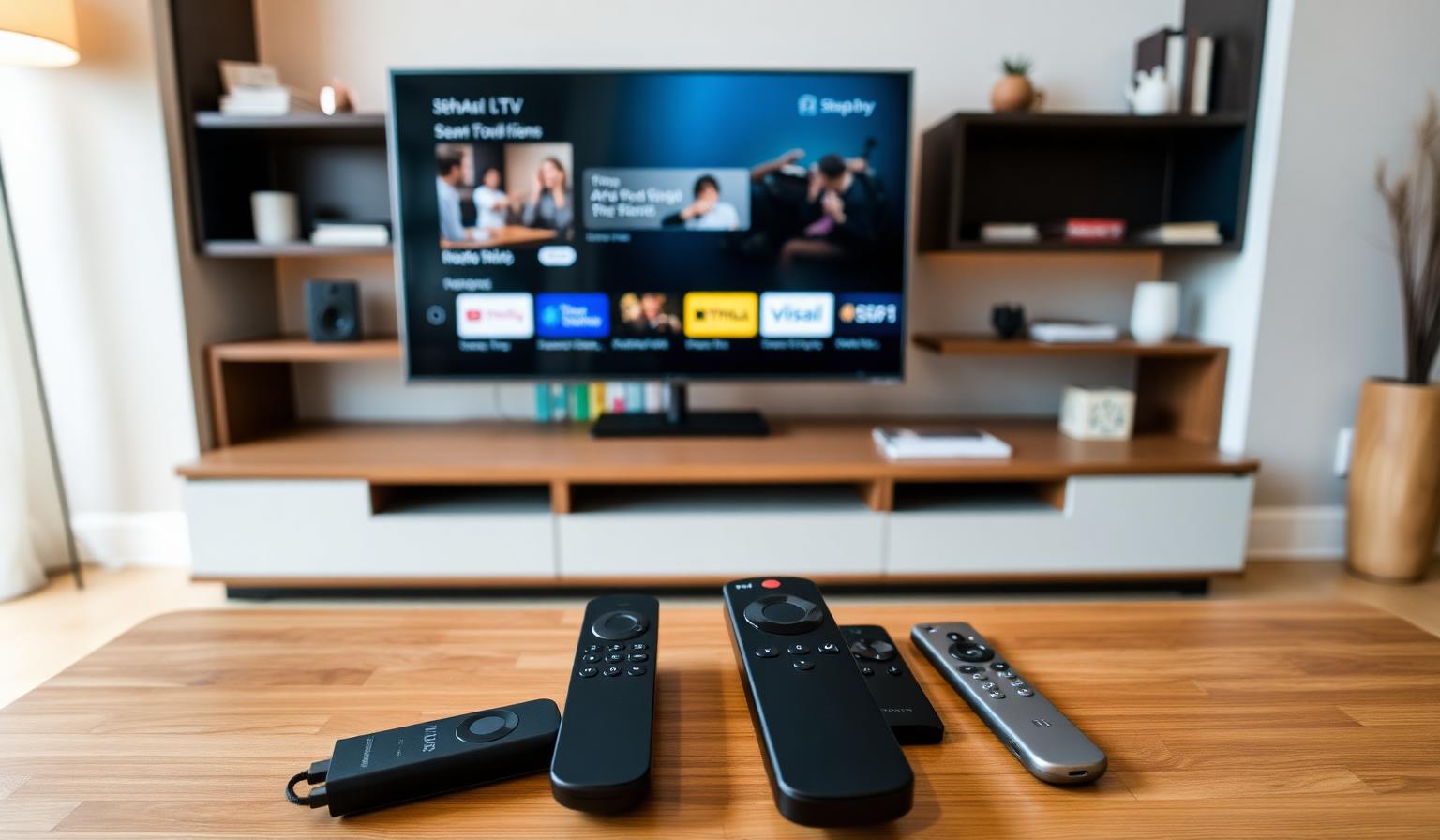
A great streaming setup deserves a great remote. The right controller turns channel surfing, app switching and live TV navigation into a smooth, one-handed experience — while the wrong one buries your favorite shows behind clunky menus and dead batteries. In this guide we cover the best remote controls for streaming devices in 2026, from official voice remotes for Firestick, Google TV, Apple TV and Roku to powerful universal remotes that command your entire living room. You'll learn what to look for, which models work best with IPTV players, and how to build a setup that's faster, simpler and more comfortable for everyday streaming on any Smart TV.
Why Your Streaming Remote Matters More Than You Think
Streaming devices live or die on the remote. A laggy D-pad, missing voice button or awkward layout can make even the fastest 4K box feel slow. A modern streaming remote should be backlit (or at least easy to find in low light), have responsive voice search, control your TV's power and volume, and offer shortcut buttons for the apps you actually use.
- Faster app launches with dedicated shortcut keys
- Voice search across multiple streaming apps
- One remote for TV, soundbar and streaming device
- Better ergonomics for long binge sessions
- Smooth navigation in IPTV players and live TV grids
Best Remote Controls for Streaming Devices in 2026
1. Amazon Fire TV Alexa Voice Remote Pro
Amazon's flagship remote for Firestick adds a backlit keypad, two customizable shortcut buttons and a "remote finder" feature — great if it always disappears between couch cushions. Alexa voice search works across Prime Video, Netflix, Disney+ and most installed apps.
2. Chromecast with Google TV Voice Remote
Compact, comfortable and packed with smart home control via Google Assistant. The dedicated YouTube and Netflix buttons are practical, and the customizable input button (on newer models) can launch any app you choose.
3. Apple TV Siri Remote (3rd Gen)
Aluminum body, clickpad with directional and circular gestures, USB-C charging and excellent build quality. It's the smoothest premium remote on the market and integrates beautifully with Apple TV 4K, including Siri voice search and HomeKit controls.
4. Roku Voice Remote Pro (2nd Gen)
Backlit keys, hands-free "Hey Roku" voice commands, a private listening jack for headphones and rechargeable battery. One of the best-value premium streaming remotes available.
5. NVIDIA Shield TV Remote
Comes with the Shield TV (and sold separately) — triangular shape, motion-activated backlight, IR blaster for TV power/volume and built-in microphone. A favorite among Android TV power users running TiviMate and emulators.
6. SofaBaton X1S Universal Remote
A modern Harmony alternative. Color OLED screen, hub-based control of up to 60 devices, custom activities ("Watch IPTV", "Movie Night") and full smartphone app support. Excellent for households juggling Firestick, Apple TV, Smart TV, soundbar and game console.
7. SofaBaton U2 / U1 Universal Remote
Budget-friendly universal remotes that combine an IR/Bluetooth remote with a small OLED screen. They control up to 15 devices and are a great way to retire 3–4 old remotes from the coffee table.
8. One For All Smart Control 8 / 5
Reliable, affordable and easy to set up via the One For All app. Particularly good for European households where the brand has wide TV and AV brand support.
9. Inteset INT-422 Universal IR Remote
A favorite among IPTV and Kodi users. It includes a full number pad and is pre-programmed for popular streamers like Apple TV, Fire TV, Shield, Roku and many AV receivers — perfect for live TV channel jumping.
10. Smartphone Apps as Remotes
Don't forget the remote that's already in your pocket. The Fire TV app, Google TV app, Apple TV Remote (in iOS Control Center) and Roku app all offer full keyboard input, voice search and gesture navigation — ideal as a backup or for typing long search queries.
Step-by-Step: Choose the Right Remote for Your Setup
1. List Your Streaming Devices
Note every device that connects to your TV: Firestick, Google TV, Apple TV, Smart TV apps, MAG box, game console, soundbar. The more you have, the more sense a universal remote makes.
2. Decide: Official or Universal
- One device only: stick with the official remote (Fire TV, Roku, Apple TV, Google TV).
- Two or more devices: consider a universal remote like SofaBaton X1S or Inteset INT-422.
3. Match the Remote to How You Watch
- Heavy live TV / IPTV user → number pad + responsive D-pad (Inteset INT-422)
- Voice-first user → Fire TV Alexa Voice Remote Pro or Apple TV Siri Remote
- Smart home enthusiast → SofaBaton X1S or Google TV remote
- Family / multi-device household → SofaBaton U2 or One For All Smart Control
4. Pair It Properly
Follow the official pairing steps for your streaming device — usually holding Home + Back, scanning a QR code in the companion app, or using the device's built-in remote setup. For IPTV use, see our best IPTV apps 2026 guide so your remote and player are tuned to each other.
5. Optimize the Buttons You Use Most
- Map a shortcut button to your primary IPTV app or live TV
- Set a "Watch IPTV" activity on universal remotes
- Enable backlight or motion sensor for night viewing
- Pair with your TV via HDMI-CEC for one-press power on/off
Pros and Cons of Upgrading Your Streaming Remote
Pros
- • One remote for TV, streaming device and soundbar
- • Faster navigation through IPTV and live TV grids
- • Voice search across multiple apps
- • Backlit keys and ergonomic design
- • Customizable shortcut buttons
Cons
- • Premium models can be pricey
- • Universal remotes need initial setup time
- • Voice features may need a stable internet connection
- • Some shortcut buttons can't be remapped
Best Practices & Pro Tips
- Use rechargeable AA/AAA batteries to cut waste and downtime.
- Enable HDMI-CEC so your TV powers on/off with one button.
- Install your device's mobile remote app as an instant backup.
- Map a custom button to your favorite IPTV player for one-tap launch.
- Keep your remote's firmware updated via the streaming device settings.
Pair your new remote with the right streaming device — our Firestick vs Android Box comparison helps you pick the perfect hardware partner for your remote.
Conclusion
The best remote control for streaming devices in 2026 is the one that fits your living room — not just your TV. If you stream on a single device, stick with the latest official voice remote (Fire TV Alexa Voice Remote Pro, Apple TV Siri Remote, Roku Voice Remote Pro or Google TV remote). If you juggle multiple devices, a universal remote like the SofaBaton X1S or Inteset INT-422 can replace a coffee table full of clutter with one comfortable, intelligent controller. Whichever you pick, a thoughtful remote upgrade quietly improves every minute you spend in front of your Smart TV, IPTV player and favorite streaming apps.
Pairing a new remote with a fresh streaming setup? Browse our subscription plans and enjoy live TV, sports and a huge VOD library on any device — no pressure, just clear options.
Ready to start streaming?
Explore our subscription plans and get instant access to live TV, sports and a huge VOD library on any device.
View IPTV PlansFrequently Asked Questions
More from the blog
Complete guide to high quality streaming with VOD — best devices, internet speed needs, setup steps, pros & cons, and expert tips for the ultimate on-demand experience.
Complete guide to premium 4K streaming for IPTV — best devices, internet speed needs, HDR setup, pros & cons, and expert tips for stunning Ultra HD quality.